
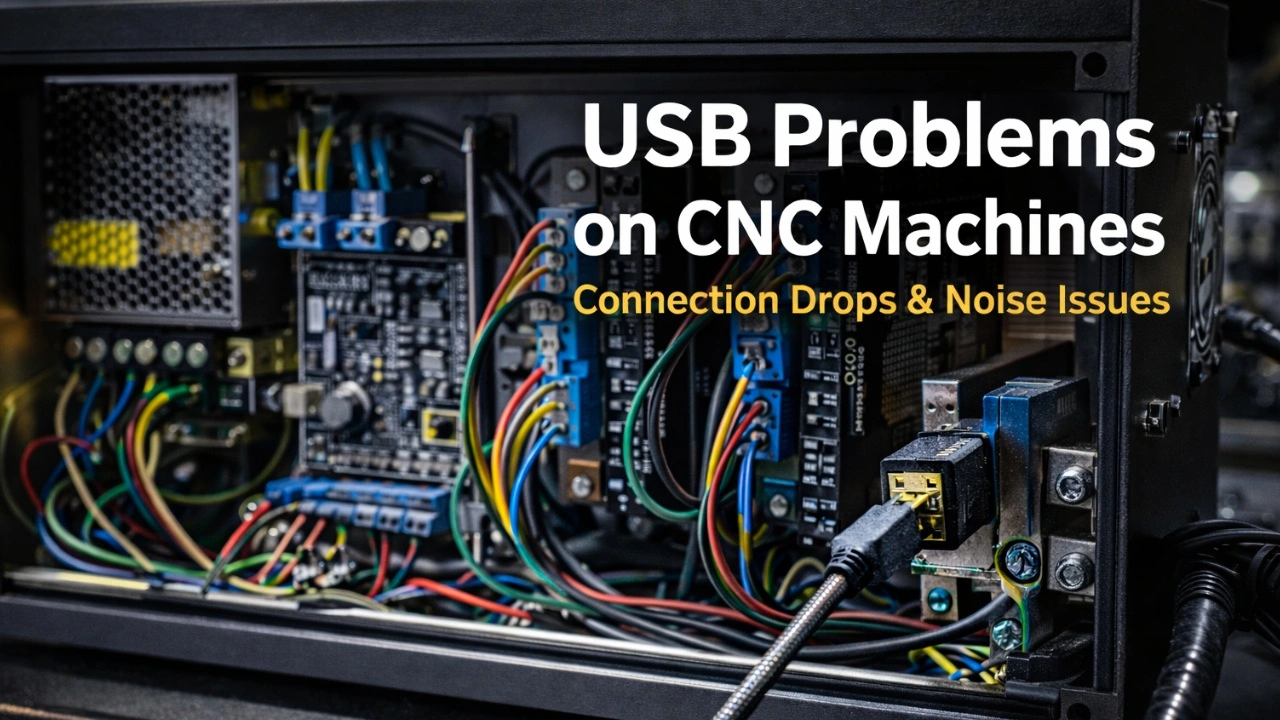
You start a CNC job and everything looks correct. The G-code is valid, the toolpath is clean, and the machine begins cutting as expected. There are no warnings, no unusual sounds, and no obvious signs that something is wrong.
Then, somewhere in the middle of the operation, the machine suddenly stops. The control software freezes and a short message appears on the screen: USB disconnected. Nothing in the setup seems to have changed. The machine was running normally just a moment ago.
You reconnect the USB cable, restart the software, and try again, assuming it was a temporary glitch. Sometimes the job even completes successfully on the second attempt. But in CNC systems, USB disconnects are rarely random events. They are almost always a sign that something in the electrical, grounding, or overall system design is not correct — and until that root cause is addressed, the problem will inevitably return.
Why USB Disconnects Reveal System-Level Problems
USB is a simple, fast, and widely available communication protocol. It allows a CNC controller to communicate with a host computer using minimal hardware, minimal configuration, and very low latency. This is exactly why it is so commonly used in PC-based CNC systems.
At the same time, USB is highly sensitive to how the electrical environment around the controller is structured. It relies on a stable ground reference, clean signal paths, and controlled return currents. When these conditions are met, USB communication is extremely reliable. When they are not, USB is often the first interface to expose the problem.
In a PC-based CNC system, the controller operates in close proximity to power electronics such as motor drivers, switching power supplies, spindles, and relays. These components share power rails, ground references, and physical space inside the control box. If grounding is poorly defined, if return paths are uncontrolled, or if electrical noise is allowed to couple into signal references, USB communication becomes unstable.
This is not a weakness of the USB protocol. It is a diagnostic signal. USB disconnects are a clear indication that the controller or control box is not electrically well structured. Ground reference shifts, common-mode noise, or improper shielding quickly push the USB physical layer outside its operating margins, causing the host operating system to reset the connection.
That is why USB issues often appear inconsistent or difficult to reproduce. The communication does not fail because of a specific line of code or a software state. It fails when the electrical conditions inside the CNC system cross a threshold. Motor acceleration, load changes, spindle activity, or power supply switching can all be enough to reveal an underlying design problem.
From a system perspective, USB disconnects should not be treated as a communication problem to be worked around. They should be treated as a clear signal that the controller, grounding scheme, or control box layout needs to be corrected. When the electrical foundation is solid, USB communication becomes stable without software workarounds or special handling.
Common Electrical Design Mistakes That Cause USB Disconnects
Most USB disconnect issues in PC-based CNC systems can be traced back to a small set of recurring electrical design mistakes. These are not edge cases or rare failures. They are common patterns that appear again and again in unstable CNC control boxes.
Poorly Defined Ground Reference
One of the most frequent problems is the absence of a clearly defined DC ground reference. In many control boxes, multiple power supplies, drivers, and peripherals are connected with ground returns that are chained together or tied arbitrarily. This creates ground loops and unpredictable voltage differences between subsystems.
USB communication relies on a stable ground reference between the PC and the controller. If that reference shifts due to motor currents, driver switching, or power supply noise, the USB physical layer is immediately affected. Even small ground disturbances are enough to cause communication errors or complete disconnects.
A CNC system without a well-defined ground architecture will eventually expose that weakness through USB instability.
Mixing Power and Signal Return Paths
Another common mistake is allowing high-current power returns to share paths with sensitive signal returns. Motor drivers, power supplies, and relays generate fast current transients that must return to their source. When those currents flow through the same conductors or PCB traces used by logic signals or USB ground, noise is injected directly into the communication reference.
This is especially problematic inside compact control boxes where cable routing is not carefully planned. USB cables routed alongside motor power cables or driver outputs are exposed to both conducted and radiated interference. Over time, this leads to intermittent and difficult-to-diagnose disconnects.
Separation of power and signal paths is not optional in CNC systems. It is a fundamental requirement for stability.
Incorrect USB Shield Handling
USB cables include a shield for a reason, but that shield is often misunderstood and misused. A common mistake is tying the USB shield directly to DC ground without considering where noise and ESD energy should be directed.
The shield is meant to intercept electromagnetic interference and provide a controlled path for that energy. If it is connected incorrectly, noise is coupled into the controller’s ground reference instead of being diverted away from sensitive electronics. This directly degrades USB signal integrity.
Incorrect USB shield handling does not usually cause immediate failure. Instead, it creates a system that works most of the time and fails unpredictably under load.
Inadequate EMI Control at the Power Entry
Many CNC control boxes lack proper EMI filtering at the power entry point. Switching power supplies and external electrical noise can inject interference directly into the system if not properly filtered. Once inside the control box, that noise propagates through ground and supply rails, eventually reaching the controller and communication interfaces.
Without proper EMI control, USB becomes an early warning system. Disconnects occur not because USB is unreliable, but because it is sensitive enough to reveal that noise is present.
Good EMI control is not about eliminating all noise. It is about preventing noise from reaching places where it does not belong.
Treating USB Cables as Generic Accessories
USB cables are often treated as interchangeable, low-importance components. In reality, they are part of the electrical system. Long, low-quality, or poorly shielded USB cables significantly reduce noise margins and increase susceptibility to interference.
In CNC environments, cable quality, shielding, and length matter. A marginal setup may appear stable until a specific operating condition pushes it beyond its limits. When that happens, USB is usually the first interface to fail.
Assuming Software Is the Root Cause
Finally, a critical mistake is assuming that USB disconnects are caused by software bugs. In most cases, the software is simply reporting a loss of communication that originates elsewhere. Changing control software, reinstalling the operating system, or switching PCs may temporarily mask the problem, but it does not fix the underlying electrical issue.
When USB disconnects persist across different software setups, the problem is almost certainly electrical.
How to Fix USB Disconnects Properly (System-Level Approach)
Fixing USB disconnects in PC-based CNC systems requires addressing the system as a whole. There is no single component or configuration change that can compensate for a poorly structured electrical design. Stability is achieved when power, grounding, shielding, and layout are treated as a coherent system rather than as independent parts.
Establish a Clear and Stable DC Ground Reference
The first and most important step is defining a single, stable DC ground reference. All logic electronics, controllers, drivers, and peripherals must reference the same ground point in a controlled way. Ground connections should not be chained or left to chance.
A star ground architecture is the most reliable approach. Each subsystem returns its ground directly to a central reference point, minimizing ground loops and preventing high-current returns from disturbing sensitive electronics. When the ground reference is stable, USB communication immediately gains margin and robustness.
Control Return Paths and Current Flow
Electrical noise is not random; it follows return paths. High-current switching devices such as motor drivers and power supplies must have clearly defined return paths that do not overlap with signal or communication returns.
Separating power and signal wiring inside the control box is critical. Power cables, motor outputs, and switching supplies should be physically and electrically isolated from logic, communication, and sensor wiring. USB cables should never be routed alongside motor or driver cables, even for short distances.
A well-designed system controls where current flows instead of reacting to its side effects.
Apply Proper EMI Filtering at the Power Entry
EMI control must start at the power entry point. Each power supply and transformer should be protected by appropriate EMI filtering to prevent conducted noise from entering or leaving the control box.
Filtering is not about eliminating all interference. It is about containing it. When noise is prevented from spreading through supply and ground networks, sensitive interfaces such as USB operate well within their intended margins.
Systems without proper EMI filtering often appear to work until a specific operating condition exposes the weakness.
Handle USB Shielding Correctly
USB shielding must be treated deliberately. The shield exists to intercept electromagnetic interference and to provide a controlled path for ESD and common-mode energy. It should not be connected arbitrarily to DC ground.
Correct shield termination depends on the system architecture, but the goal is always the same: keep noise away from the controller’s signal reference. When shielding is handled properly, USB becomes remarkably stable, even in demanding CNC environments.
Improper shield handling, on the other hand, guarantees unpredictable behavior under load.
Use Appropriate USB Cables and Routing
USB cables are part of the electrical design, not accessories. Cable length, shielding quality, and routing all directly affect signal integrity. Short, well-shielded cables with solid connectors significantly improve communication stability.
Cable routing matters just as much as cable quality. USB cables should be kept away from sources of electrical noise and should follow predictable, well-separated paths inside the control box.
A system that relies on marginal cabling will always remain sensitive to operating conditions.
Validate Stability Through Repeatability
The final step is validation. A properly fixed system does not require constant attention or adjustments. It behaves the same way every day, under the same operating conditions, without relying on software resets or manual intervention.
True stability is demonstrated through repeatability. When multiple jobs complete successfully without USB issues, and no configuration changes are required between runs, the system can be considered electrically sound.
Treat USB Disconnects as Feedback, Not Failures
USB disconnects should not be viewed as communication failures to be worked around. They are feedback from the system, indicating that something in the electrical foundation needs attention. When that foundation is corrected, USB communication stabilizes naturally.
A CNC system that is electrically well designed does not need special handling to keep USB alive. It simply works.
Closing Thoughts
USB disconnects are not random failures and they are not a software inconvenience to work around. In PC-based CNC systems, they are a clear signal that something in the electrical design, grounding strategy, or control box structure is not correct. When the system is designed properly, USB communication becomes stable without special configuration or workarounds.
This mindset is reflected in our control boards. Products such as the 4-Axis CNC Motherboard are designed to support stable CNC systems by providing clear ground references, predictable signal behavior, and compatibility with properly structured control boxes. While no control board can compensate for a poorly built system, a well-designed board makes it significantly easier to build one that behaves correctly and consistently.
If you are experiencing USB disconnects and want to understand what is really happening in your setup, help is available. If you need assistance analyzing your control box, grounding, or overall CNC system, you can ask for support in our Discord community:
https://discord.com/invite/nRKETyjJ7E
The discussion there focuses on real CNC systems, real problems, and technically sound solutions — not guesses or quick fixes.
In CNC, stability is not optional. When the electrical foundation is right, everything else becomes easier.