Connecting Focus to Your CNC Controller
Connect Focus to your CNC controller and verify basic communication.
The Focus Connect Screen
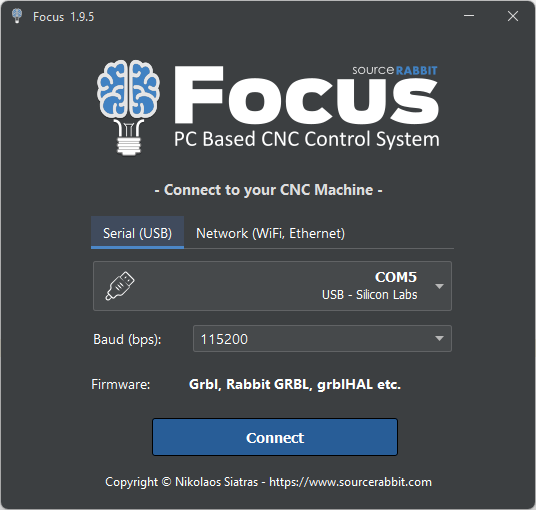
When Focus starts, it opens the Connect screen.
This is the first screen you use to connect Focus to your CNC machine. From here, you can choose how Focus will communicate with your CNC controller:
- Serial USB
- Network WiFi/Ethernet
Focus supports common CNC controller firmware such as Grbl, Rabbit GRBL, grblHAL, and compatible controllers.
Connect Using Serial USB
Use the Serial USB tab when your CNC controller is connected to the computer with a USB cable.
Select the correct COM port from the port list. In most cases, Focus will show the USB device name next to the port, for example a controller using a Silicon Labs USB adapter.
Then select the correct baud rate. For many Grbl-based controllers, the common baud rate is 115200.
After selecting the COM port and baud rate, click Connect.
Connect Using Network WiFi or Ethernet
Use the Network WiFi/Ethernet tab when your CNC controller is available over the local network.
Enter the controller's IP Address and Port.
Each CNC controller can use a different network port, so you should check the documentation or settings of your controller to find the correct port number.
If your controller is running Rabbit GRBL, the port is 5001.
For example:
- IP Address: 192.168.3.36
- Port: 5001
After entering the network connection details, click Connect.
After Connecting
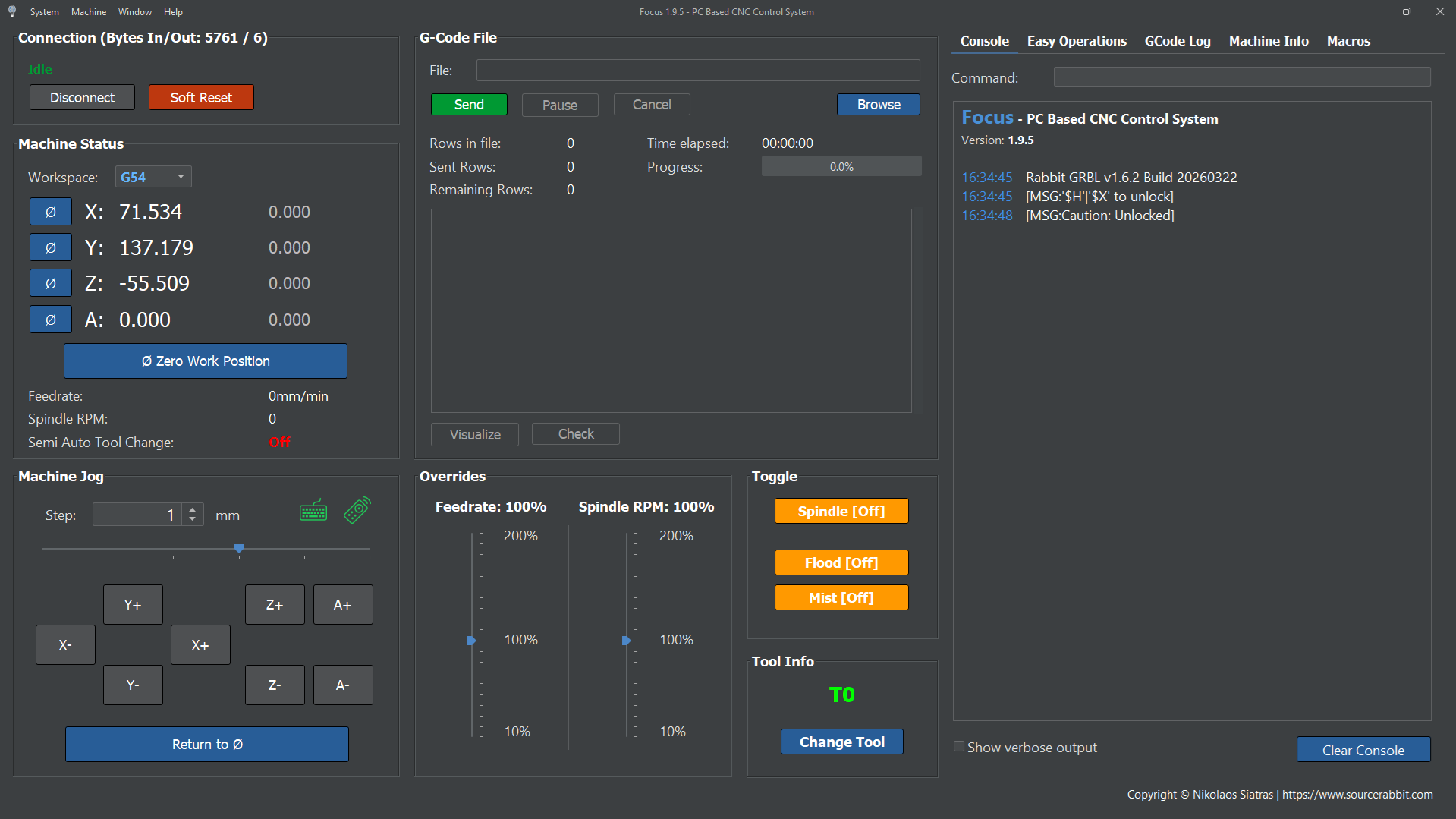
After Focus connects successfully, the main Control screen opens.
From the Control screen, you can control the CNC machine, load or run GCode, configure settings, and access other Focus tools.
If Focus Cannot Connect
If Focus cannot connect to your CNC controller, check the following:
- The controller is powered on.
- The drivers for the control board have been installed.
- The USB cable or network connection is working.
- The correct COM port is selected.
- The selected baud rate matches the controller firmware.
- The IP address and port are correct for network connections.
- No other software is already connected to the controller.
- The controller firmware is compatible with Focus.
For USB connections, unplugging and reconnecting the USB cable can help the operating system refresh the available COM ports.
For network connections, make sure the computer running Focus and the CNC controller are on the same local network.