
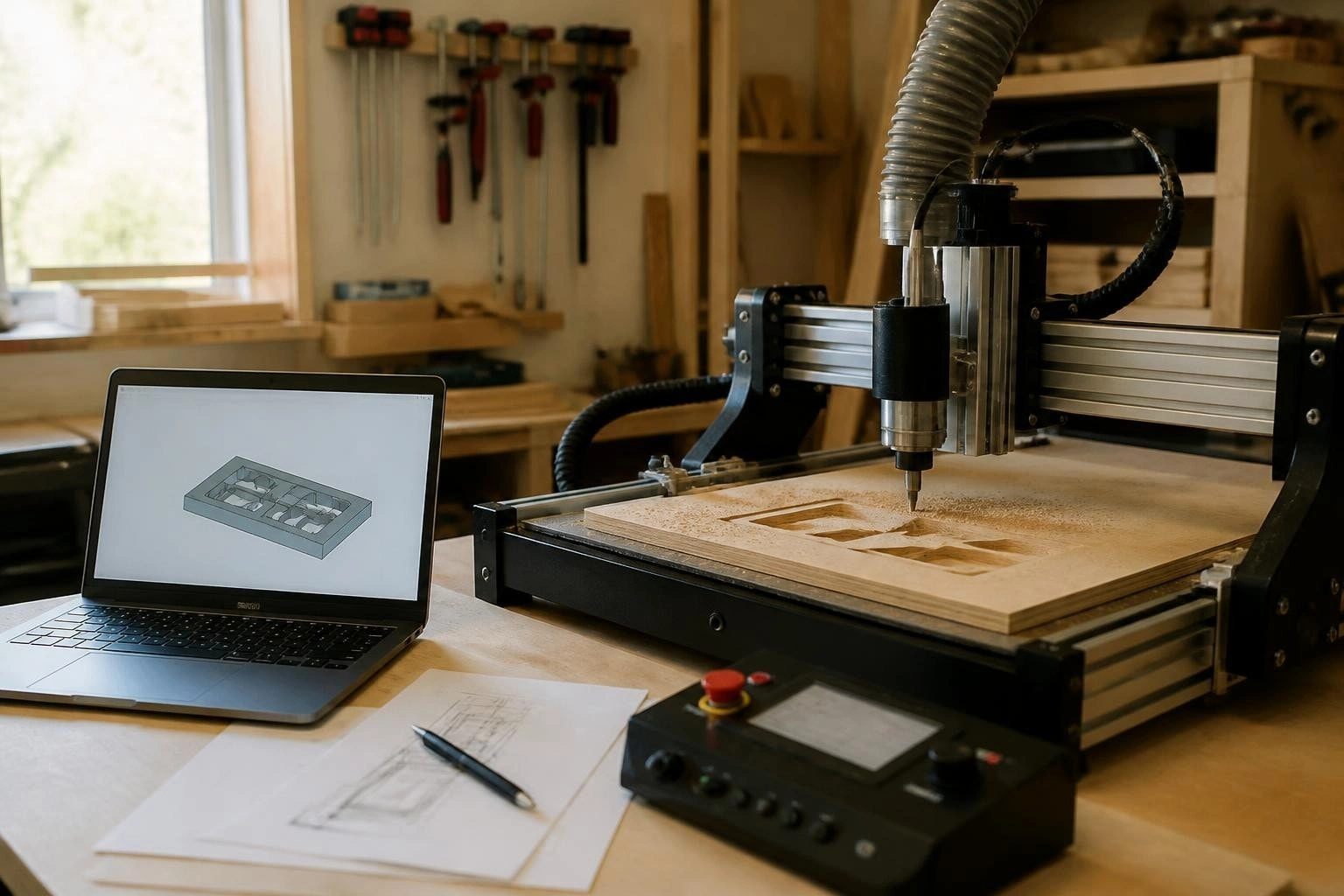
A home CNC machine transforms your workspace into a precision manufacturing hub, enabling you to create everything from custom furniture parts to intricate metal components. These computer-controlled tools have evolved from industrial exclusives to accessible workshop essentials, offering hobbyists and small businesses unprecedented fabrication capabilities. Whether you're cutting wood, machining aluminum, or engraving plastics, understanding the fundamentals of CNC technology helps you maximize your investment and production quality.
Understanding Home CNC Machine Technology
Modern CNC (Computer Numerical Control) technology relies on precise communication between design software, control systems, and mechanical components. The process begins with a digital design file, typically created in CAD (Computer-Aided Design) software, which then converts to machine-readable instructions through CAM (Computer-Aided Manufacturing) software.
The controller serves as the brain of your home CNC machine, interpreting G-code instructions and coordinating motor movements across multiple axes. Quality controllers ensure smooth motion, accurate positioning, and reliable operation even during extended cutting sessions. Motion control precision directly impacts your finished part quality, making controller selection a critical decision.
Key Components of a Home CNC System
Every functional CNC setup requires several integrated components working in harmony:
-
Motion controller: Processes G-code and generates motor signals
-
Stepper or servo motors: Provide precise rotational movement
-
Linear motion systems: Rails, bearings, and lead screws for accurate positioning
-
Spindle or router: The cutting tool that removes material
-
Work holding: Clamps, vises, or vacuum tables to secure workpieces
-
Power supply: Delivers stable voltage to motors and electronics
The sophistication of these components varies widely based on machine size, intended materials, and precision requirements. Entry-level systems might use V-wheels on aluminum extrusion, while professional-grade machines incorporate linear rails and ballscrews for enhanced rigidity and accuracy.
Types of Home CNC Machines Available
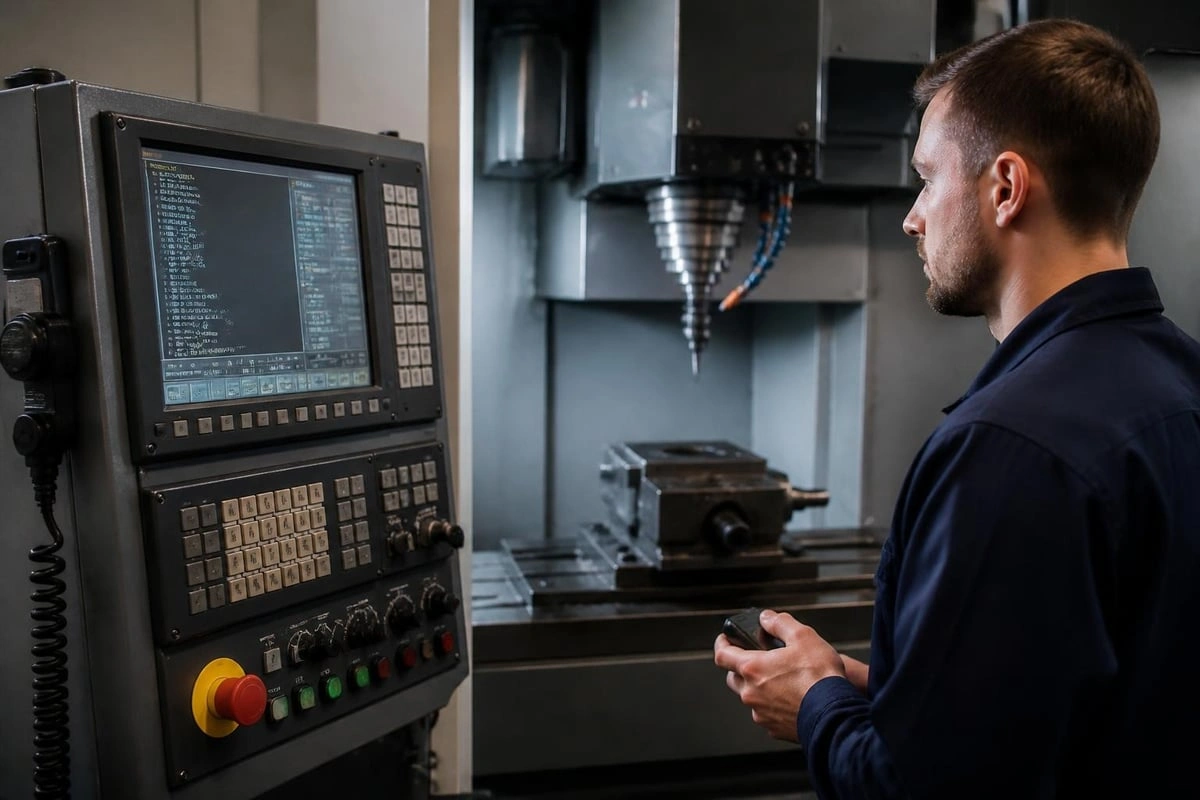
The home CNC machine market offers diverse options tailored to specific applications and materials. Understanding these categories helps you select equipment aligned with your project goals and budget constraints.
CNC Routers for Wood and Plastics
CNC routers dominate the home workshop market, excelling at cutting, carving, and engraving softer materials. These machines typically feature larger work envelopes (24" x 24" to 48" x 96") and use high-speed spindles (10,000-24,000 RPM) to achieve clean cuts in wood, MDF, plastics, and soft metals like aluminum.
Work envelope determines the maximum part size you can produce. Most beginners start with compact models around 12" x 12", then upgrade as project complexity increases. When selecting the best home CNC machine, consider not just current needs but anticipated growth.
CNC Mills for Metal Machining
CNC mills provide the rigidity and precision needed for machining harder materials including steel, titanium, and hardened aluminum alloys. These machines sacrifice speed for cutting force, operating at lower RPMs (3,000-8,000) with significantly more robust construction.
|
Feature |
CNC Router |
CNC Mill |
|---|---|---|
|
Primary Materials |
Wood, plastics, soft metals |
Steel, aluminum, titanium |
|
Spindle Speed |
10,000-24,000 RPM |
3,000-8,000 RPM |
|
Frame Construction |
Aluminum extrusion |
Cast iron or steel |
|
Typical Accuracy |
±0.005" |
±0.001" |
|
Price Range |
$500-$5,000 |
$3,000-$25,000+ |
Home CNC mills require substantial investment but deliver professional-grade results for precision mechanical parts, tooling, and prototypes.
Plasma and Laser CNC Systems
Plasma cutters excel at cutting conductive metals like steel and aluminum, using an electrically charged gas stream to melt through material. These systems require minimal cutting force, allowing lighter frame construction than mills.
Laser systems offer extreme precision for engraving and cutting thin materials. CO2 lasers handle wood, acrylic, and fabric, while fiber lasers tackle metal marking and cutting applications. Both technologies demand proper ventilation and safety precautions specific to CNC operation.
Setting Up Your Home CNC Machine
Proper installation and configuration determine whether your home CNC machine becomes a productive tool or an expensive frustration. The setup process requires attention to mechanical, electrical, and software details.
Physical Installation and Workspace Preparation
Your CNC machine needs a stable, level surface capable of supporting its weight plus cutting forces. Concrete floors provide ideal rigidity, while wooden floors may require reinforcement. Vibration dampening through rubber isolation pads improves cut quality and reduces noise transmission.
Adequate clearance around the machine facilitates material loading, tool changes, and maintenance access. Plan for at least 24 inches on the operator side and 12 inches on remaining sides. Dust collection becomes critical for wood and plastic cutting, preventing respiratory hazards and maintaining visibility.
Electrical Considerations and Noise Reduction
CNC machines generate electrical noise that can interfere with controller signals and cause connection issues. Proper grounding, shielded cables, and separation of power and signal wiring minimize these problems. The Rabbit Board 4-Axis addresses these challenges through buffered outputs and opto-isolated inputs, providing reliable operation even in electrically noisy home workshops.
Dedicated 20-amp circuits prevent voltage drops during high-demand operations like spindle acceleration or simultaneous multi-axis movements. Understanding how to reduce electrical noise and USB disconnections saves countless hours of troubleshooting.
Controller Selection and Software Integration
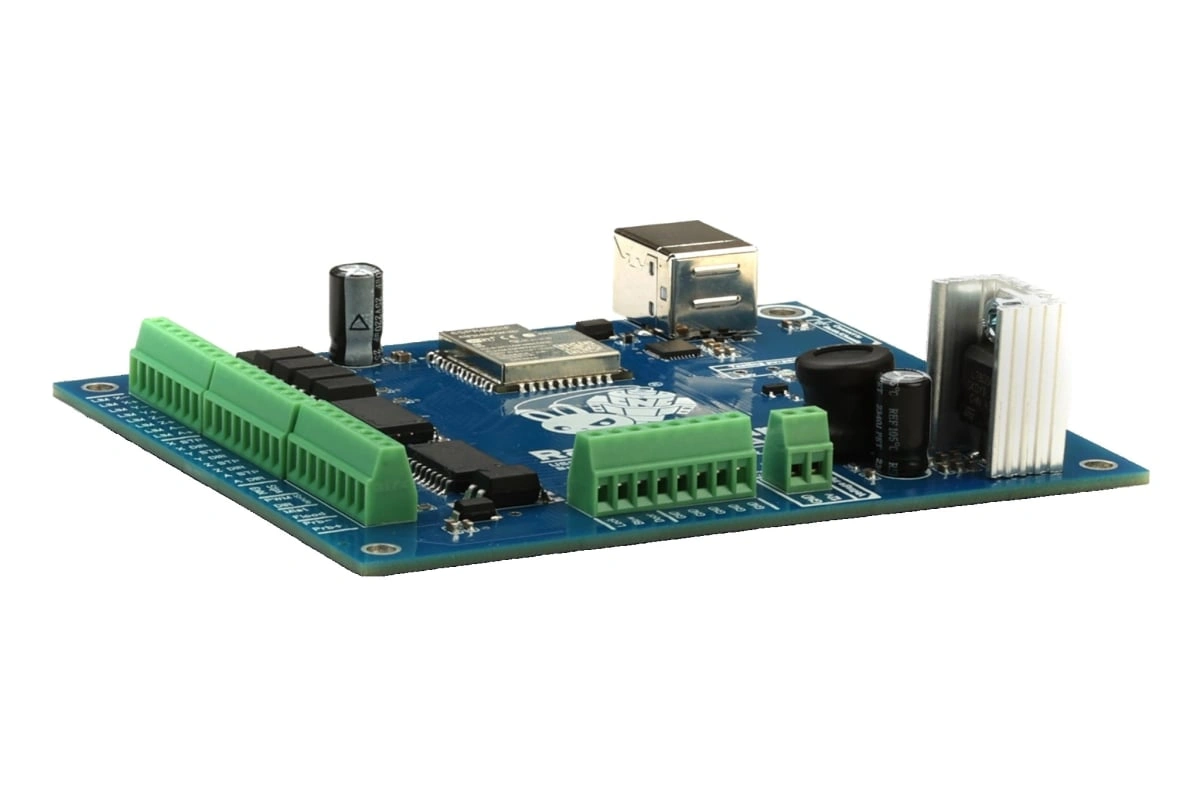
The controller determines your home CNC machine's capabilities, reliability, and ease of use. Modern controllers range from basic Arduino-based boards to sophisticated multi-axis systems with advanced features like tool change automation and probe-based workpiece alignment.
GRBL-Based Control Systems
GRBL firmware has become the standard for hobby and professional CNC applications, offering robust motion control, proven reliability, and extensive community support. Controllers running GRBL handle up to six axes while maintaining real-time performance and smooth acceleration profiles.
PC-based control software communicates with GRBL controllers via USB, WiFi, or Ethernet connections. This architecture separates the user interface from motion control, allowing sophisticated features without overwhelming the controller's processing capacity. Solutions like Focus CNC control software provide intuitive interfaces for jogging, work coordinate systems, and probing operations.
CAM Software for Toolpath Generation
Creating G-code from design files requires CAM software that understands your machine's capabilities and limitations. Entry-level CAM solutions offer basic 2D profiling and pocketing, while advanced packages support 3D surface machining, multi-axis operations, and adaptive toolpaths that optimize cutting efficiency.
The CAM workflow typically follows these steps:
-
Import design geometry from CAD software
-
Define stock material dimensions and zero position
-
Select cutting tools and specify feeds/speeds
-
Generate toolpaths with appropriate strategies
-
Simulate cutting to verify collision-free operation
-
Post-process to machine-specific G-code format
Software compatibility with standard file formats (.dxf, .svg, .step) ensures smooth integration with your design workflow. The SourceRabbit ecosystem provides coordinated solutions from controller hardware through CAM software, eliminating compatibility concerns.
Safety Practices for Home CNC Operation
Operating a home CNC machine involves rotating cutters, moving mechanical components, and often hazardous materials. Implementing comprehensive safety practices protects both operator and equipment from preventable incidents.
Personal Protective Equipment Requirements
Every CNC operator should maintain appropriate PPE based on the materials and processes involved. Safety glasses protect against flying chips and broken cutting tools, which can eject at high velocities. Hearing protection becomes essential for extended operation, as spindles and cutting often exceed 85 decibels.
Close-fitting clothing prevents entanglement in rotating components. Remove jewelry, tie back long hair, and avoid loose sleeves that might catch on moving parts. CNC machine safety essentials emphasize these basic precautions as the foundation of accident prevention.
Machine Guarding and Emergency Procedures
Physical barriers between the operator and cutting area prevent accidental contact with moving components. Full enclosures also contain chips, reduce noise, and facilitate dust extraction. Emergency stop buttons should be easily accessible from normal operating positions and tested regularly for proper function.
Before starting any cut, verify:
-
Material is securely clamped
-
Tool is properly installed and tightened
-
Work coordinates are correctly set
-
Program has been simulated or air-cut
-
Emergency stop is functional
-
All guards are in place
Understanding safety guidelines for CNC machinery helps develop consistent pre-operation checklists that become habitual over time.
Material Considerations and Cutting Parameters
Different materials require specific cutting tools, speeds, feeds, and cooling strategies. Matching these parameters to your home CNC machine's capabilities ensures quality results while preventing tool breakage and machine damage.
Cutting Speeds and Feed Rates
Spindle speed (RPM) and feed rate (inches per minute) must balance material removal against tool life and surface finish. Harder materials require slower speeds to prevent excessive heat buildup, while softer materials can be cut faster. The relationship between these parameters affects chip formation, cutting forces, and finished surface quality.
|
Material |
Spindle Speed |
Feed Rate |
Tool Type |
|---|---|---|---|
|
Softwood |
18,000 RPM |
80-120 IPM |
Carbide upcut |
|
Hardwood |
15,000 RPM |
60-100 IPM |
Carbide compression |
|
Aluminum |
12,000 RPM |
40-80 IPM |
Carbide 2-flute |
|
Acrylic |
10,000 RPM |
30-60 IPM |
Single flute O-flute |
|
Steel |
3,000 RPM |
10-25 IPM |
Carbide 4-flute |
These values serve as starting points, requiring adjustment based on your specific machine rigidity, tool condition, and desired finish quality. Conservative initial parameters prevent tool breakage while you develop experience with material behavior.
Depth of Cut and Stepover Strategies
Aggressive depth of cut increases material removal rates but also raises cutting forces and vibration. Most home CNC machines perform best with multiple shallow passes rather than attempting full-depth cuts. Conventional practice limits depth of cut to 50% of tool diameter for end mills, though rigid machines with proper tooling can exceed this guideline.
Stepover percentage determines how much the tool overlaps on adjacent passes. Smaller stepovers (25-40%) produce finer finishes but increase machining time. Roughing operations might use 50-60% stepover for efficiency, followed by finishing passes at 10-20% for surface quality.
Maintenance and Troubleshooting
Regular maintenance extends your home CNC machine's lifespan while maintaining accuracy and reliability. Establishing routine inspection and service schedules prevents small issues from becoming expensive failures.
Routine Inspection and Lubrication
Linear motion components require periodic cleaning and lubrication to maintain smooth operation. Accumulated dust and chips act as abrasives, accelerating wear on rails, bearings, and lead screws. Weekly cleaning with compressed air removes loose debris, while monthly lubrication prevents metal-to-metal contact.
Check these components regularly:
-
Linear rails and bearings: Clean and lubricate monthly
-
Lead screws and ball screws: Remove chips, apply appropriate grease
-
Belt tension: Verify proper tension, inspect for wear
-
Coupling integrity: Confirm tight connections, no slippage
-
Electrical connections: Check for loose terminals, damaged wires
Maintaining detailed service logs helps identify wear patterns and predict component replacement timing before failures occur.
Common Issues and Solutions
USB disconnection problems often stem from electrical noise or inadequate grounding. Implementing proper noise reduction techniques typically resolves these issues. Shielded USB cables, ferrite chokes, and isolated power supplies create clean signal paths resistant to interference.
Lost position accuracy usually indicates mechanical problems like loose couplings, worn bearings, or inadequate motor current. Systematic diagnosis begins with mechanical inspection, progressing to electrical verification, then software configuration review. The SourceRabbit Help resources provide detailed troubleshooting guides for common controller and software issues.
Advanced Features and Capabilities
As your skills develop, advanced CNC features enable more complex projects and improved efficiency. Understanding these capabilities helps you select equipment that supports long-term growth.
Tool Length Compensation and Automatic Tool Changes
Tool length offsets allow using different length tools without recalibrating the Z-axis zero position. The controller applies stored offset values automatically when each tool is called, maintaining correct cutting depths across tool changes. This feature proves essential for multi-tool projects like sign making or complex 3D carving.
Semi-automatic tool change systems pause the program, allowing manual tool installation while the controller tracks position and applies appropriate offsets. Fully automatic tool changers (ATC) select and install tools from a carousel or rack, enabling unattended operation for production runs. Learning semi-automatic tool change procedures expands your project complexity without requiring expensive automation.
Probing and Work Coordinate Systems
Touch probes automate workpiece alignment, edge finding, and surface mapping. These sensors eliminate manual edge finding errors while enabling advanced features like surface digitizing and tool length measurement. Point cloud probing captures complex 3D surfaces for reproduction or reverse engineering applications.
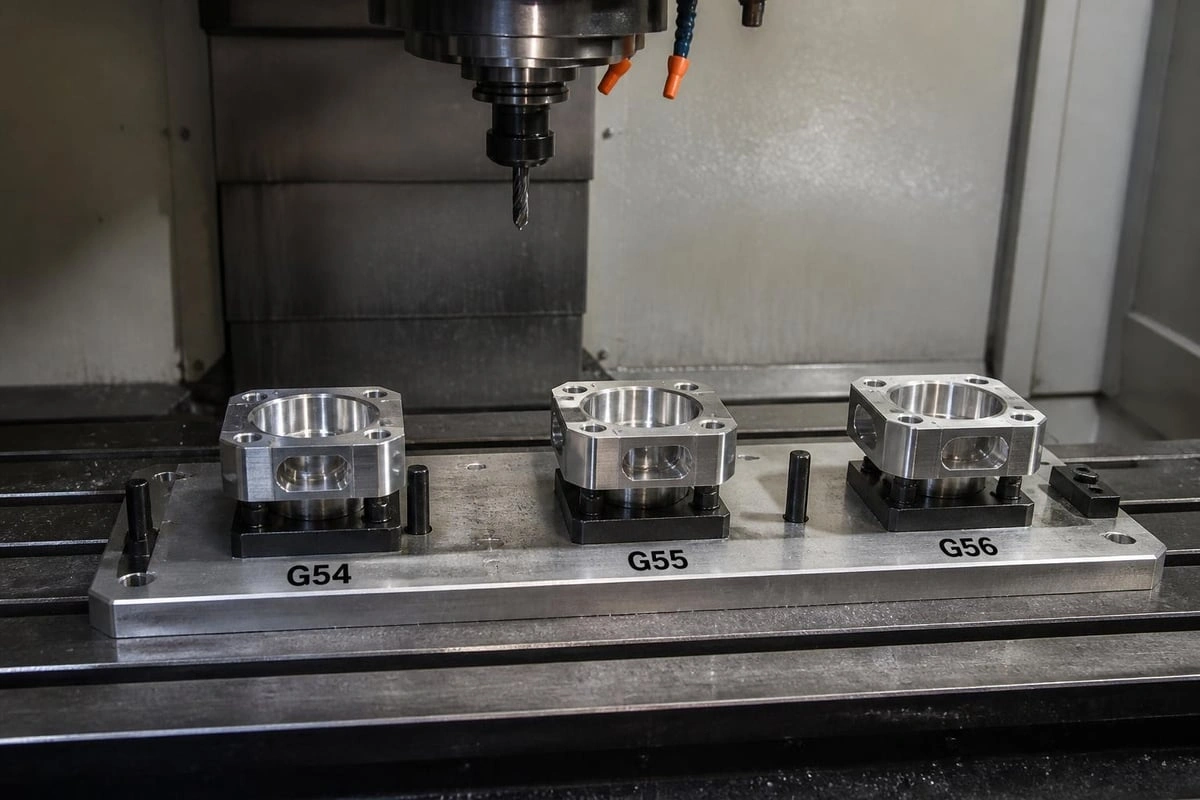
Multiple work coordinate systems (G54-G59) store different zero positions, allowing quick switching between multiple parts or fixture positions without manual re-zeroing. This capability streamlines production runs and reduces setup time for repeat jobs.
Choosing the Right Home CNC Machine for Your Needs
Selecting appropriate equipment requires honest assessment of your project requirements, available space, and budget constraints. Overbuying wastes resources on unused capacity, while underbuying creates frustration and limits project scope.
Assessing Your Project Requirements
Define your typical projects before shopping for equipment. A woodworker creating furniture joinery needs different capabilities than a machinist producing precision metal parts. Consider these factors:
-
Material types: Wood, plastic, aluminum, or steel
-
Maximum part dimensions: Largest anticipated workpiece
-
Precision requirements: Tolerance specifications for finished parts
-
Production volume: One-off projects versus small batch production
-
Noise constraints: Workshop location and neighbor proximity
Creating a weighted priority list helps navigate the inevitable compromises between capability, cost, and space constraints. The comprehensive buying guide for home CNC machines offers systematic evaluation frameworks.
Budget Allocation Strategy
Effective budget planning extends beyond the machine purchase price to include essential accessories and ongoing consumables. A realistic home CNC machine budget allocates funds across multiple categories:
|
Category |
Percentage |
Includes |
|---|---|---|
|
Machine |
50-60% |
Frame, motors, linear motion |
|
Controller/Software |
15-20% |
Motion controller, CAM software licenses |
|
Tooling |
10-15% |
End mills, collets, holders |
|
Work Holding |
5-10% |
Vises, clamps, fixtures |
|
Accessories |
5-10% |
Dust collection, touch probe, safety equipment |
This distribution ensures you can actually use the machine productively rather than discovering critical accessories remain unaffordable after the primary purchase. Quality tooling and proper work holding often impact results more than incremental machine capability improvements.
Expansion and Upgrade Paths
Starting with modular, expandable equipment protects your investment as skills and requirements evolve. Controllers with unused axis capacity support future rotary axis addition. Machines with standardized mounting patterns accommodate spindle upgrades. Open-source control systems like GRBL enable software feature additions without hardware replacement.
Evaluate upgrade potential during initial selection:
-
Available axis expansion: 3-axis machines that support 4th axis retrofit
-
Spindle upgrade compatibility: Mounting standards for larger/different spindles
-
Software flexibility: Open vs. proprietary control systems
-
Community support: Active user base for troubleshooting and modifications
The SourceRabbit product ecosystem exemplifies coordinated component design, where controllers, software, and machines integrate seamlessly while supporting independent upgrades.
Educational Resources and Community Support
Success with a home CNC machine depends partly on technical knowledge gained through structured learning and community engagement. Multiple resource types address different learning styles and experience levels.
Online Documentation and Tutorials
Comprehensive documentation accelerates the learning curve while providing reference material for specific procedures. Quality manufacturers provide detailed setup guides, operation manuals, and troubleshooting resources. Video tutorials demonstrate complex procedures more effectively than text alone, while written documentation serves as quick reference during actual operation.
The SourceRabbit Blog publishes technical articles covering controller installation, firmware configuration, and advanced features like canned drilling cycles. These resources build systematic understanding of CNC fundamentals rather than just addressing isolated problems.
User Forums and Technical Support
Active user communities provide peer support, project inspiration, and collective troubleshooting expertise. Forums dedicated to specific controllers or machine types concentrate relevant knowledge while building relationships with other operators facing similar challenges.
Direct manufacturer support supplements community resources for controller-specific issues or warranty concerns. Responsive technical support teams differentiate professional-grade equipment from hobby products, especially when deadline pressure demands rapid problem resolution. Access to expert technical support proves invaluable during critical projects.
A home CNC machine opens remarkable creative and productive possibilities when matched to appropriate applications and supported by quality control systems. Success requires understanding the interplay between mechanical capability, controller reliability, and software sophistication. SourceRabbit delivers this integration through coordinated hardware and software solutions, from the robust Rabbit Board controller through Focus control software and RabbitCAM toolpath generation, ensuring your CNC investment produces professional results from day one.