
License Activation
Activate your Focus license from the Control screen, understand how the license is connected to your computer, and learn where you can manage your purchased licenses.
Open the Control Screen
Before activating Focus, connect to your CNC controller.
After Focus connects to the controller, the Control screen opens. The license activation option is available from the main menu of this Control screen.
Activate Focus Online
On the Control screen, open the Activate > Activate Online menu.
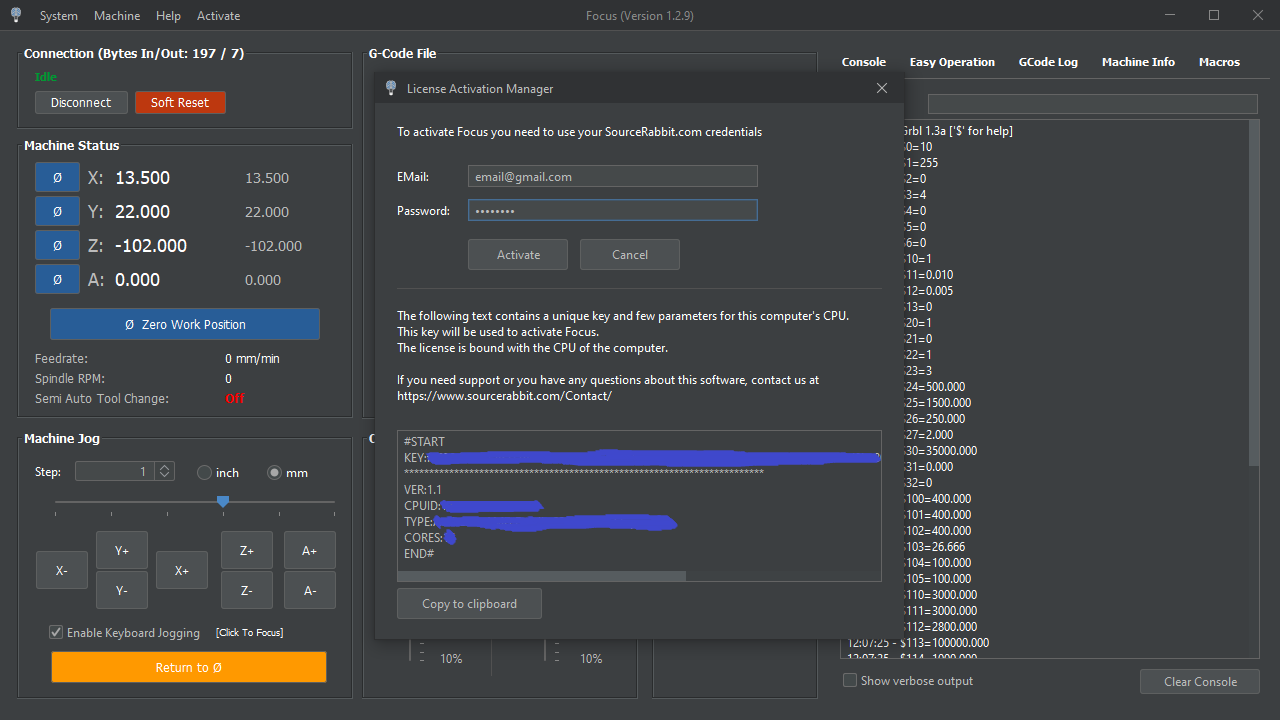
This opens the License Activation Manager. Enter the email and password of the SourceRabbit Account you used to purchase the license, then click the Activate button.
After a successful activation, Focus will be licensed on this computer and ready to use.
If activation fails
If activation fails, first make sure that this computer is connected to the internet and that the email and password belong to the SourceRabbit Account you used to purchase the Focus license.
Also confirm that the license has not already been activated on a different CPU. A Focus license is bound to the CPU used during the first activation, so the same license cannot be activated on another computer.
If your account details are correct and activation still fails, sign in to your SourceRabbit User Account to check your licenses, or contact SourceRabbit support with the email address used for the purchase.
How Focus Licenses Are Bound
A Focus license is bound to the computer's CPU the first time it is activated.
Focus requires a separate license for each PC. More precisely, it requires a separate license for each CPU. This means that if you activate a license on your laptop, you cannot use the same activated license on your desktop simply by copying the software files.
To move that exact activated license to another computer, the CPU would also have to move with it.
Formatting or Reinstalling Your Computer
You do not need to buy a new license if you format your computer or reinstall/change the operating system.
The license is bound to the CPU, not to the operating system installation. As long as the CPU remains the same, formatting the computer or installing a different operating system does not require purchasing a new Focus license.
Manage Your Licenses
After purchasing a Focus license from the SourceRabbit website, you can manage your licenses from your User Account.
From there, you can view your purchased licenses and manage the licenses connected to your account.